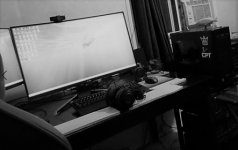
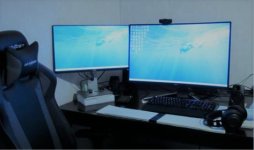
Monitor? Size? Number?

V

valeski 28

Legend
Loyaler
Joined
Sep 22, 2014
Total posts
3,235
Awards
2
Poker Chips
1,114
Casino Coins
0
  • #51
Good afternoon.I play with a 15.6 inch Gateway laptop and I didn´t have any problems until Aurora engine came to stay ..Nowadays,I play less tables but when I´m not playing at Stars then I can play as usual..
 
Artbart805

Artbart805

Legend
Bronze Level
Joined
Jan 16, 2020
Total posts
1,126
Awards
2
Poker Chips
373
Casino Coins
0
  • #52
screen size..

The bigger the better........
 
C

chinito2410

Rock Star
Silver Level
Joined
Jul 19, 2020
Total posts
127
Poker Chips
0
Casino Coins
0
  • #53
If it is a very good and important tournament, I connect the pc to the 65 'tv but on a common notebook monitor
 
okeedokalee

okeedokalee

Glory To Ukraine
Loyaler
Joined
Feb 3, 2008
Total posts
5,988
Awards
25
NZ
Poker Chips
1,347
Casino Coins
0
  • #54
It is not the monitor that wins at poker, it is the brain. You can't change the size or the power of that.:)
 
Maxmustdie

Maxmustdie

Legend
Bronze Level
Joined
Jun 7, 2016
Total posts
1,156
Awards
1
Poker Chips
38
Casino Coins
0
  • #55
ideally have 2 monitors
preferably 32 inches (at least 27), it is incredibly convenient
 
Poker Orifice

Poker Orifice

And Still...
Platinum Level
Joined
Jan 19, 2008
Total posts
28,289
Awards
6
CA
Poker Chips
892
Casino Coins
5
  • #56
Artbart805 said:
The bigger the better........

I disagree.
I was actually looking at & considering purchasing the DELL 43in. 4k flat monitor but after mocking up a piece of cardboard of same size & placing it on my desk, it's just way too big for poker (imo).

I think there's a sweet spot but I'm not sure what that is (32in. maybe... curved... or maybe 34-35in curved?)
okeedokalee said:
It is not the monitor that wins at poker, it is the brain. You can't change the size or the power of that.:)
I'm not sure if this thread relates to what monitor size is going to help me to win at the pokerzz. I was thinking it was geared more towards 'what size is optimal for viewing experience' while playing online poker. BUT at the same time, I think if we can use a display that is optimal for us, it could also relate to us winning more in the longrun (ie. I use 2x 24in monitors on a stand that allow me to have a decent view of them but even still, tables on the outer edge of my monitor are not in full view for me and I can miss a good deal of the action on them). Perhaps just 1x 32in. screen, with a 24in. mounted vertically to the side (or one on each side) to display poker site lobby(s) and maybe our list of MTT's we're entering for the day, etc.
Maxmustdie said:
ideally have 2 monitors
preferably 32 inches (at least 27), it is incredibly convenient


I was checking out a guy using 2x 27in yesterday. It looked pretty good.
I'm wondering though, wouldn't 2x 32in be a bit too much screen space ??

I'm looking to make a purchase for my Christmas present this year and the more research I'm doing, the more complicated it is getting. A week ago I was absolutely sure I was getting a Dell 34in. Ultrasharp curved screen... a couple days later it was the 38in... then considered the 43in. flat screen (24in. screens mounted vertically on either side fit nicely) it was back to the 34in. no matter what!!! lol And now I'm pretty sure that I'm not even going to opt for the Dell ultrasharps and instead am looking at the BenQ32 or BenQ35... sigh

 
K

kamciono5

Rock Star
Silver Level
Joined
May 25, 2019
Total posts
195
Poker Chips
0
Casino Coins
0
  • #57
I really don't understand why you need better monitor to play poker, but if you like to play poker and do something else and you have only laptop i can suggest you to buy 2x 24/27 ips monitors and hanging arm to them (something like this https://www.ebay.com/itm/Adjustable...907284?hash=item445bfa5014:g:RiwAAOSwU0Be1v41). It will be really convenient to you to play poker on one monitor and do something else on the other ones and you will be able to move monitors like you want to. I almost forgot you probably won't be able to connect two monitors to laptop, but you can do it using hdmi adapter (but remember you have to connect it to usb 3.0 to have quality like on the monitor connected directly to laptop hdmi) or you can use docker.
 
P

Pokersavvy

Legend
Bronze Level
Joined
Jun 15, 2014
Total posts
2,379
Awards
5
Poker Chips
317
Casino Coins
0
  • #58
AndreyMav78 said:
Hello to all! I am very interested in what kind of monitor you have for playing poker? The size? Number of monitors?

Maybe you have a specific positive experience in using a particular monitor. Share the model.


I have a 3 monitor setup. Nothing special, just used monitors. Monitors are more than 7 yrs old.

I am using:
Two 23 inch
One 24 inch.

I like how it works for me. Especially for gaming too. For free, I can't complain either.

Eventually I plan to upgrade my PC, just not sure when yet.

I also thought about purchasing another Alienware, but I keep thinking of building one instead.

Have fun shopping around for a some nice monitors, or one 49 inch curved monitor would do great. :) That's what I have my eye's on lol

Happy Hunting!
 
psihoz35

psihoz35

Enthusiast
Silver Level
Joined
Nov 10, 2020
Total posts
34
Poker Chips
0
Casino Coins
0
  • #59
hello!) I play from a regular monitor - I don't think that at micro limits there is a difference that a large monitor or a small
 
roberto51

roberto51

Visionary
Platinum Level
Joined
Sep 23, 2020
Total posts
866
Awards
2
Poker Chips
621
Casino Coins
0
  • #60
I play on a 24 'Samsung monitor and a 17' Packard Bell laptop, and the smartphone has recently been added more and more often.
 
B

bigthereal

Visionary
Silver Level
Joined
Apr 20, 2020
Total posts
635
Poker Chips
0
Casino Coins
0
  • #61
the bigger the better
 
lilpotato

lilpotato

Legend
Bronze Level
Joined
Sep 9, 2015
Total posts
2,741
Awards
2
Poker Chips
363
Casino Coins
0
  • #62
I have two 27" 2560 x 1440 HP Pavilion 27q's side by side. I have had them a few years and I am very happy with them but I may get a DEll or Samsung 49" Ultrawide which is pretty much like having two 27" monitors side by side without the split in the middle.
 
S

successlaw

Legend
Platinum Level
Joined
Sep 30, 2018
Total posts
1,431
Awards
2
Poker Chips
584
Casino Coins
0
  • #63
I have one DELL monitor 24 inches and i like it.
Play 9 sng's easy
 
Freewka6101129

Freewka6101129

Rock Star
Silver Level
Joined
Apr 18, 2020
Total posts
220
Poker Chips
0
Casino Coins
0
  • #64
what's the difference which monitor? the main thing is to see the tables
 
ivanlt18

ivanlt18

Rock Star
Silver Level
Joined
Nov 22, 2020
Total posts
149
Awards
1
Poker Chips
0
Casino Coins
0
  • #65
Playing on my humble 24" LG monitor, of course alt tabbing if i get to play more than 1 tournament at a time. Can't afford a second one since we live in a country where the government likes to apply multiple taxes to imported products (especially techonolgic ones) and they end up being not affordable for the average population.
 
B

Blintzblyck

Rock Star
Silver Level
Joined
Nov 8, 2017
Total posts
231
Awards
1
US
Poker Chips
54
Casino Coins
0
  • #66
successlaw said:
I have one DELL monitor 24 inches and i like it.
Play 9 sng's easy

I have a Samsung 32" tv. How can I get 4 sng tables to fit onto it? Can't really handle a larger number.
 
UhhWee

UhhWee

Rock Star
Silver Level
Joined
Apr 11, 2013
Total posts
210
Poker Chips
0
Casino Coins
0
  • #67
I have a Dell 27" and use it for multitabling with my laptop. Really enjoy it
 
M

MichaelTyler

Enthusiast
Silver Level
Joined
Oct 30, 2020
Total posts
90
Poker Chips
0
Casino Coins
0
  • #68
I use 1080p 22" I think. I like it. Acer makes it.
 
  • Like
Reactions: UhhWee
B

Blintzblyck

Rock Star
Silver Level
Joined
Nov 8, 2017
Total posts
231
Awards
1
US
Poker Chips
54
Casino Coins
0
  • #69
UhhWee said:
I have a Dell 27" and use it for multitabling with my laptop. Really enjoy it
How do you get multi tables on one screen?:confused: My monitor is 720p.
 
Poker Orifice

Poker Orifice

And Still...
Platinum Level
Joined
Jan 19, 2008
Total posts
28,289
Awards
6
CA
Poker Chips
892
Casino Coins
5
  • #70
I got my BenQ 32in. monitor for Christmas and finally have it all hooked up to my computer. I'm currently running a Dell 24in. Ultrasharp alongside of it but I'm pretty sure I'll be getting another 32in. to go alongside of this one.
 

Attachments

  • ScreenHunter 3658.jpg
    ScreenHunter 3658.jpg
    15.8 KB · Views: 20
  • ScreenHunter 3659.jpg
    ScreenHunter 3659.jpg
    14.9 KB · Views: 19
Artbart805

Artbart805

Legend
Bronze Level
Joined
Jan 16, 2020
Total posts
1,126
Awards
2
Poker Chips
373
Casino Coins
0
  • #71
43 and 38
 
wagon596

wagon596

Legend
Bronze Level
Joined
Apr 27, 2008
Total posts
3,767
Awards
13
Poker Chips
17
Casino Coins
0
  • #72
I just play on my laptop, 15" screen.
 
JOSEALBERTV

JOSEALBERTV

Visionary
Bronze Level
Joined
Apr 21, 2018
Total posts
896
Awards
15
Poker Chips
97
Casino Coins
0
  • #73
For my part, I have a Toshiba with the screen without image which I use by connecting it to a television, but when there are power failures it is sad because the regulator to which they are connected does its job and it takes a few minutes to turn on the devices, imagine when I'm on crucial plays and that happens.
 
Artbart805

Artbart805

Legend
Bronze Level
Joined
Jan 16, 2020
Total posts
1,126
Awards
2
Poker Chips
373
Casino Coins
0
  • #74
43" and 40" flat two flat screens..
 
Top