Hello, Paulo.
Thank you for your contact.
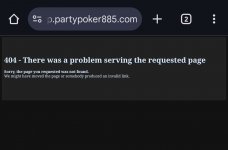
Regarding your question, we inform you that the error presented in the Software is due to an active technical inconvenience, which is still being resolved. Don't worry, the responsible Operations Team is already working to reverse the situation as soon as possible.
Unfortunately, this error is taking longer than usual to resolve, however, it is gradually returning to our users. For this reason, we recommend that you follow the procedure that we will send you below, and try to log in again:
1. Uninstall the software from your device.
2. Click the “Start” button located at the bottom left of the screen, type “Run” in the search and click Enter to open the “Run” dialog box (Windows + R).
3. Type “% temp%” in the Run dialog box and click “OK”. (The temporary folder will open, for example: “C:\ Users\ xyz\ AppData\ Local\ Temp”)
4. Delete all content/data from the Temp folder.
5. Go back to the “Run” dialog box again, type “% appdata%” and click OK.
6. The Appdata folder will open, for example, “C:\ Users\ xyz\ AppData\ Roaming”.
7. Delete the “partypoker” folder if it is present in Appdata.
8. Delete “cef-cache”, “cef3-cache” in the Appdata folder (C: “C:\ Users\ xyz\ AppData\ Roaming\ cef-cache).
After doing so, download the installer again from the official site:
https://www.partypoker.com/pt-br/download and reinstall the program.
If the error is not resolved after following this procedure, we ask you to have a little more patience while we normalize the platform situation.
Once again, we apologize for what happened and thank you for your understanding so far.
If you still have questions, do not hesitate to contact us through our Service Center.
Regards,
Gimena
Customer Service Team