
Christmas at the Casino - High Stacks Slots Competition - $80 up for grabs!

  • Thread starter Thread starter Tammy
  • Start date Start date
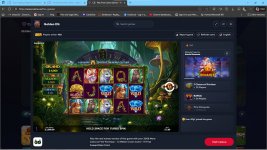
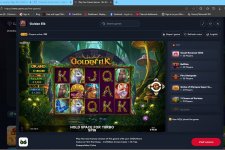
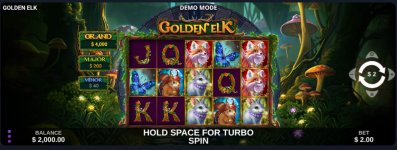
I tryed to play Golden Elk yesterday. I had some problems getting screenshots. I did get my starting screenshot after several attempts. But could not get the End of game Screenshot , Couldn't get the Bonus or Big Sin screenshots. I have 2 options for screenshots, using win 11, press all three keyboard keys, shift , Windows Key and S. I've did this hundreds of times but not able to do it in the game. Also at the top of my browser I have an Icon to press and it will setup a screenshot. After I press I have option what size ,area screenshot I want, after I choose , it does this NOTHING.

Is there a security feature on the site that prohibits a screenshot? I doubt that because i've seen many posted here. I can not figure why this is happening.

Anyone have suggestions ? Or could i take a photo with my phone and use that to post here as progress or proof I actually played? I would like to be included in this if possible.

Thanks
Peace
Tony
 
  • Like
  • Haha
Reactions: barbados, Sunz of Beaches and belizebum
Dejana said:
I'm not an slot expert...😇

But, in the "Elk" game you got scatter bonus and elk bonus when 6 or more elk show up (that's why I ask that question) 🙂

One more question, why are you playing for $50? - higher bet, better bonus... 😍

Not an expert either, don't even play slots at all.
I only learned that when I clicked where Tammy said to. Scatters give you free spins and 6 Elks give you a bonus.

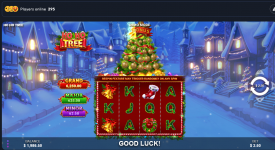
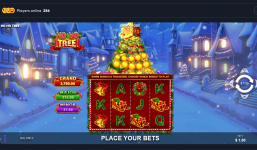
I'm playing the max bet, but in the HO HO TREE game, I have no balance, not sure why it's showing that $50 there because even if I spin, nothing happens
 
Antonio777 said:
I tryed to play Golden Elk yesterday. I had some problems getting screenshots. I did get my starting screenshot after several attempts. But could not get the End of game Screenshot , Couldn't get the Bonus or Big Sin screenshots. I have 2 options for screenshots, using win 11, press all three keyboard keys, shift , Windows Key and S. I've did this hundreds of times but not able to do it in the game. Also at the top of my browser I have an Icon to press and it will setup a screenshot. After I press I have option what size ,area screenshot I want, after I choose , it does this NOTHING.

Is there a security feature on the site that prohibits a screenshot? I doubt that because i've seen many posted here. I can not figure why this is happening.

Anyone have suggestions ? Or could i take a photo with my phone and use that to post here as progress or proof I actually played? I would like to be included in this if possible.

Thanks
Peace
Tony
You should be able to use the Snipping Tool on Windows 11. Super easy to use. I personally use a the service from Gyazo.com, but you don't have to do that. I'll make a post with a little tutorial in here.
 
  • Like
Reactions: Antonio777
Antonio777 said:
I tryed to play Golden Elk yesterday. I had some problems getting screenshots. I did get my starting screenshot after several attempts. But could not get the End of game Screenshot , Couldn't get the Bonus or Big Sin screenshots. I have 2 options for screenshots, using win 11, press all three keyboard keys, shift , Windows Key and S. I've did this hundreds of times but not able to do it in the game. Also at the top of my browser I have an Icon to press and it will setup a screenshot. After I press I have option what size ,area screenshot I want, after I choose , it does this NOTHING.

Is there a security feature on the site that prohibits a screenshot? I doubt that because i've seen many posted here. I can not figure why this is happening.

Anyone have suggestions ? Or could i take a photo with my phone and use that to post here as progress or proof I actually played? I would like to be included in this if possible.

Thanks
Peace
Tony
 
  • Like
Reactions: Antonio777
Antonio777 said:
Last resort I will try this out. the snipping tool usually works everywhere. My first time having an issue with this screenshot stuff.
Thanks Tammy and Jay
Peace
Tony
Oh, weird that it's not working for you. I just did a little tutorial, and it worked fine for me. I guess you already know how to do it, but just in case someone else needs help, here it is (sound on):

 
  • Like
Reactions: Antonio777
I'm going to try my other laptop and see if it will take a screenshot... If not i will get the App Jay suggested.
Thanks for the help.
I'll let all know what happens.

Peace
Tony
 
I got it. Glitch in snipping tool. Have to manually paste from clipboard. Quit auto saving?????

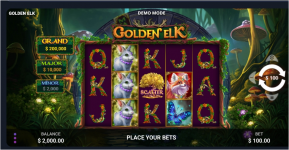
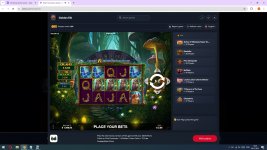
Golden Elk Start 2025 12 05 162624

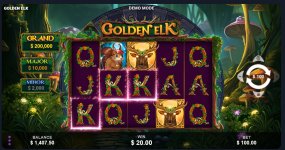
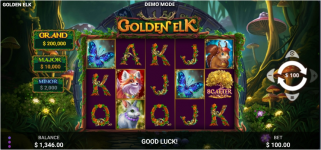
GOLDEN ELK ENDED 2025 12 05 183427

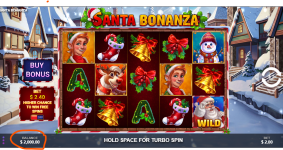
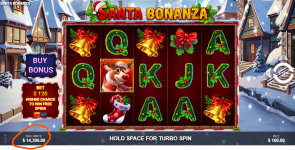
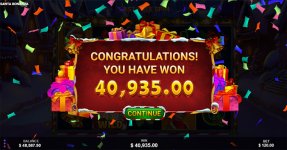
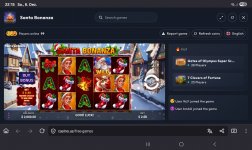
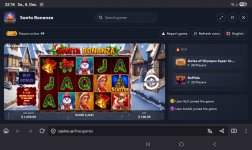
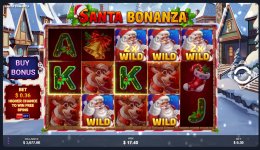
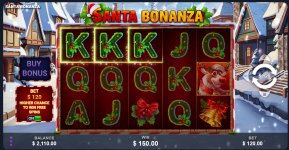
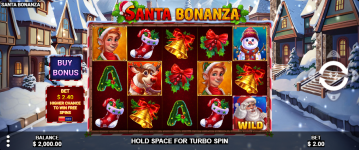
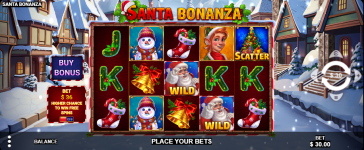
Did not do well but I played anyway. Played the Santa Bonanza also and screenshots.

Thanks for the help,
Peace
Tony
 
  • Like
Reactions: Sunz of Beaches
I believe some creature previously suggested playing with maximum bet 🤔 Yet based on these screens so far then there's not a single max win ?!?


Amateurs.
 
Tammy said:
Here are our entries for the end of month bonus prize
One last question Tammy.
In the Bonus/Big win thing, is it the total of the entries that counts or just the best one?
 
Screenshot 420Screenshot 421

So when I started and when my balance was nothing <3 Still working on my bonus win 😛 <3 and hopefully I did this right lol <3 Have fun Tammy 😛 loool
 
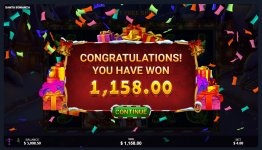
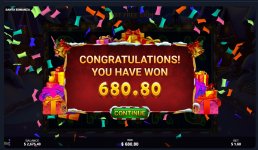
My modest successes:
 

Attachments

  • 02.jpg
    02.jpg
    158.7 KB · Views: 2
  • 04.jpg
    04.jpg
    242.1 KB · Views: 2
And a little more about my modest successes:
 

Attachments

  • 05.jpg
    05.jpg
    159.7 KB · Views: 1
Antonio777 said:
I tryed to play Golden Elk yesterday. I had some problems getting screenshots. I did get my starting screenshot after several attempts. But could not get the End of game Screenshot , Couldn't get the Bonus or Big Sin screenshots. I have 2 options for screenshots, using win 11, press all three keyboard keys, shift , Windows Key and S. I've did this hundreds of times but not able to do it in the game. Also at the top of my browser I have an Icon to press and it will setup a screenshot. After I press I have option what size ,area screenshot I want, after I choose , it does this NOTHING.

Is there a security feature on the site that prohibits a screenshot? I doubt that because i've seen many posted here. I can not figure why this is happening.

Anyone have suggestions ? Or could i take a photo with my phone and use that to post here as progress or proof I actually played? I would like to be included in this if possible.

Thanks
Peace
Tony
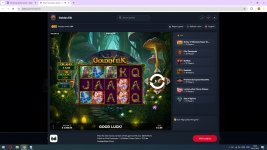
Hi, Tony. Try pressing the "Prn Scn" key. Download the Paint editor. In the editor's menu, select the "insert" option. You should have the screen image that you want to save. You can edit it in the same editor. Good luck!
 
  • Like
Reactions: najisami
Back
Top