ACR Thread

  • Thread starter Thread starter ACR Rep
  • Start date Start date
Status
Not open for further replies.
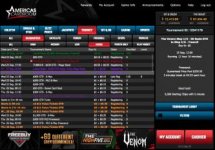
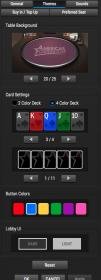
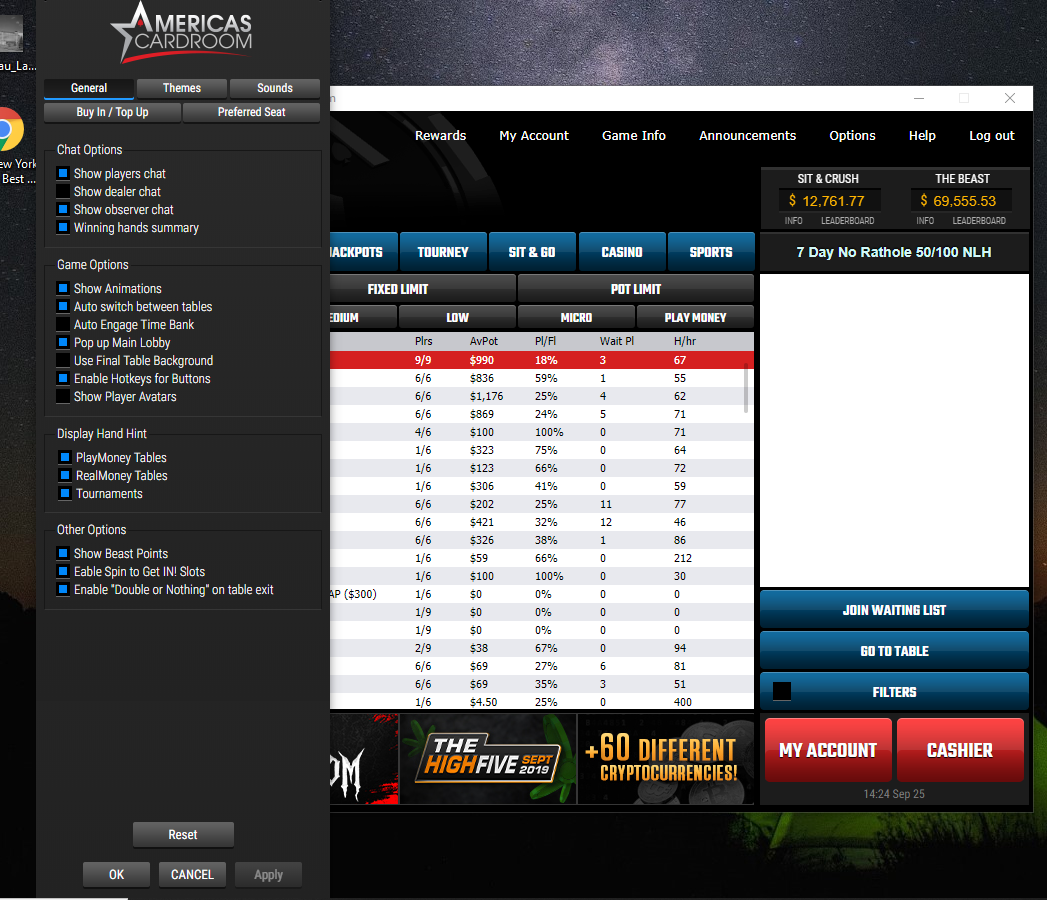
Very nice redesign of the lobby. Definitely much easier to read now. I also like that you can switch the lobby to Dark mode. FYI if you haven't found it yet, go to Options-->Table Options-->Themes. There is now a setting for Lobby U/I where you can choose Light or Dark. You can also change to color of table buttons. Thumbs up ACR!!

Screen Shot 2019 09 25 at 11619 PM

Screen Shot 2019 09 25 at 12102 PM
 
  • Like
Reactions: ACR Rep and Shells
azforlife said:
ACR WHY IS THERE NO COPY/PASTE ALLOWED IN THE PASSWORD FIELD? PLEASE CHANGE IT ON UPCOMING UPDATE! I HATE TYPING UE9WH7NKHS 😀 THANKS

Additionally, the Enter key does not submit the password. You have to mouse click the OK button.
 
ACR's updated look is pretty cool.
 
  • Like
Reactions: ACR Rep and Shells
0cean said:
When will the maintenance issues be resolved with the tournament results in both the cashier & "Finished Tournaments" on the web page? This has been a forever issue.
I love ACR & pretty much the only room I play at but I really want & need to be able to easily pull up these results/

ACR Rep said:
First of all, appreciate the time and patience reporting this, I've sent it to the department in charge so they can take a look at this.

I am wondering this as well. A buddy of mine has reported this to our Customer Rep and still no answer.

If you go to the website and click on Finished Tournaments, the actual link gets redirected to a non-existant page. The URL of the page used to go to:

wordpress.americascardroom.eu/online-poker/tournaments__trashed/results/

The highlighted portion of that URL is disconcerting!

Along with CardsChat, there are a few other private tournaments that rely on final tournament results in their leaderboards. The Jackpot games being one of them, which I understand will be slated once the software is able to handle rebuys/addons.

Two options to this is maybe an Export button within the Tournament Lobby, or allow for us to click/drag and scroll down the results table with our mouse and do a copy of its contents.

As it stands now, we resort to image grabs. In the case of CC, we have to take 3 of them to get the top 50. For Jackpot, not sure how they will handle it. They have to record data for a few hundred or more players. All have to be manually entered.

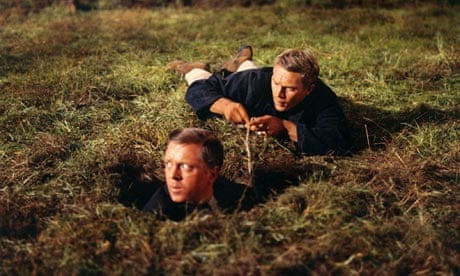
Right now I feel like Steve McQueen in the Great Escape when the lights came back on -- we're back on the rope!


b1bc51c7e56df9ab6b5246d348209a9b.jpg
 
XYZ2123 said:
Very nice redesign of the lobby. Definitely much easier to read now. I also like that you can switch the lobby to Dark mode. FYI if you haven't found it yet, go to Options-->Table Options-->Themes. There is now a setting for Lobby U/I where you can choose Light or Dark. You can also change to color of table buttons. Thumbs up ACR!!

View attachment 257046

View attachment 257047

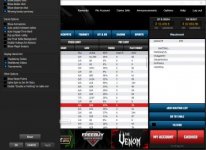
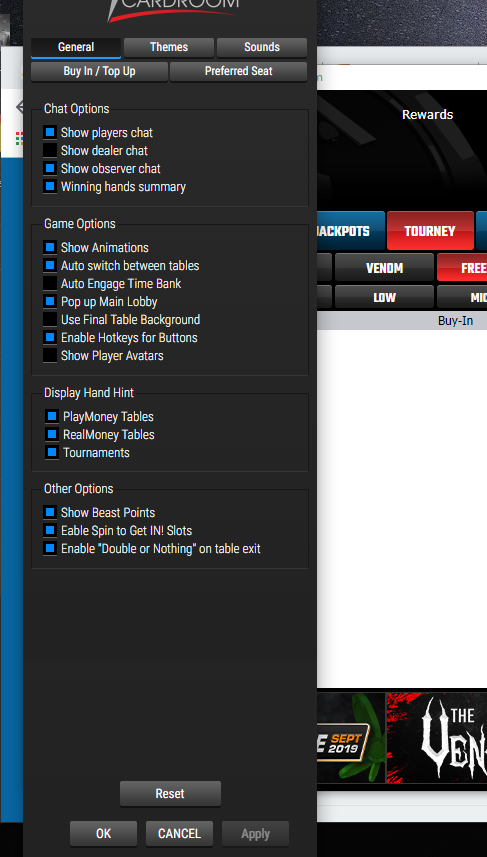
This is what it looks like when I access options then table options. Is anyone else having this issue?

2019 09 25 1309
 
If you use Filters in the tournament lobby and set a maximum buyin value, any freerolls (value of 0) do not show up in the lobby. You have to turn your Filter off to see the tournaments. The old software correctly listed the tournaments since there was not a filter for a minimum value.
 
  • Like
Reactions: ACR Rep and XYZ2123
tomk7788 said:
This is what it looks like when I access options then table options. Is anyone else having this issue?

View attachment 257050

I am getting same thing. The options panel is clipped, but not as severely as yours.

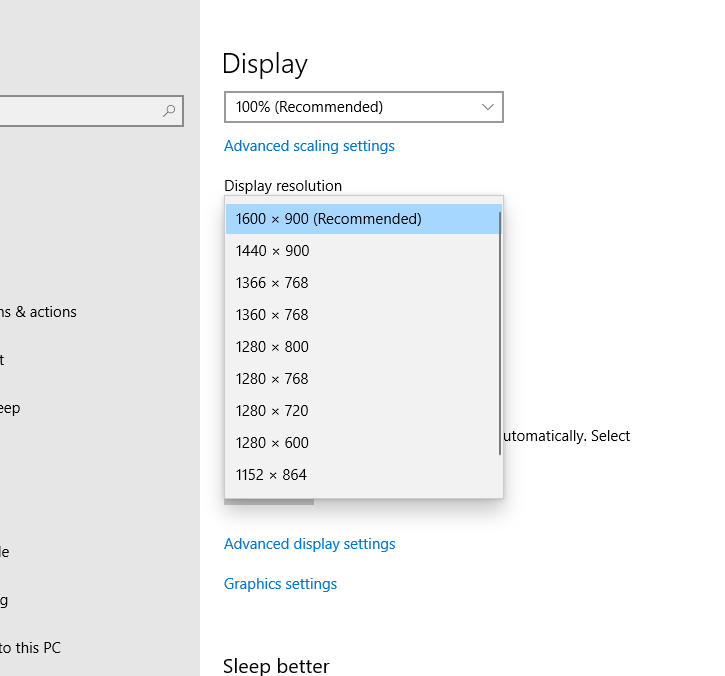
My laptop screen resolution is at 1600x900, what is yours?

52dc87b8868552136fd7375e9d74090a.png
 
smallfrie said:
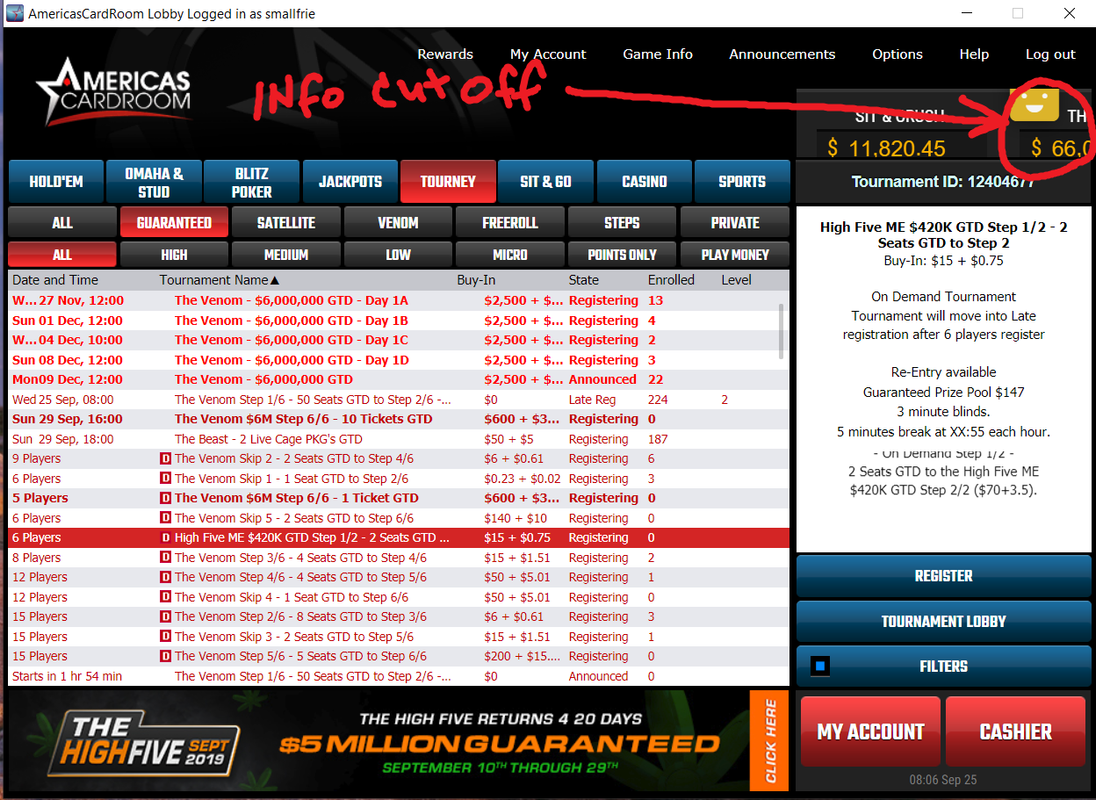
I like the morning update 9/25/2019. The lobby is way easier on the eyes. I see a problem on the right side with info cut off, but other than that I like it.


Truly appreciate your feedback, now, you must restart the client and should be ok 🙂
 
Shady Slim said:
I am wondering this as well. A buddy of mine has reported this to our Customer Rep and still no answer.

If you go to the website and click on Finished Tournaments, the actual link gets redirected to a non-existant page. The URL of the page used to go to:


The highlighted portion of that URL is disconcerting!

Along with CardsChat, there are a few other private tournaments that rely on final tournament results in their leaderboards. The Jackpot games being one of them, which I understand will be slated once the software is able to handle rebuys/addons.

Two options to this is maybe an Export button within the Tournament Lobby, or allow for us to click/drag and scroll down the results table with our mouse and do a copy of its contents.

As it stands now, we resort to image grabs. In the case of CC, we have to take 3 of them to get the top 50. For Jackpot, not sure how they will handle it. They have to record data for a few hundred or more players. All have to be manually entered.

Right now I feel like Steve McQueen in the Great Escape when the lights came back on -- we're back on the rope!

b1bc51c7e56df9ab6b5246d348209a9b.jpg


Appreciate the time you took to contact us and provide your valuable feedback, I will send it directly to the development team.
 
Shady Slim said:
If you use Filters in the tournament lobby and set a maximum buyin value, any freerolls (value of 0) do not show up in the lobby. You have to turn your Filter off to see the tournaments. The old software correctly listed the tournaments since there was not a filter for a minimum value.

Yes this is very annoying. I hate turning filters on and off. The old software had a min filter but you could set it to $0. Now it starts at $1 which eliminates free rolls. I hope this will be fixed.
 
Shady Slim said:
I am getting same thing. The options panel is clipped, but not as severely as yours.

My laptop screen resolution is at 1600x900, what is yours?

52dc87b8868552136fd7375e9d74090a.png


I have an HP 15.6" laptop, the resolution is 1366X768. Haven't had the issue with not being able to access table options until today's update.
 
tomk7788 said:
I have an HP 15.6" laptop, the resolution is 1366X768. Haven't had the issue with not being able to access table options until today's update.

The options box is a fixed size. This explains why yours is clipped more than mine.

Additionally, that panel is not movable at all.
 
tomk7788 said:
This is what it looks like when I access options then table options. Is anyone else having this issue?

View attachment 257050

Shady Slim said:
I am getting same thing. The options panel is clipped, but not as severely as yours.

My laptop screen resolution is at 1600x900, what is yours?

You're right that its weirdly cropped. The table options I mentioned are under Themes tab, not General.
 
Shady Slim said:
The options box is a fixed size. This explains why yours is clipped more than mine.

Additionally, that panel is not movable at all.

Thanks, I have a 2nd larger monitor and got the same result on it.
 
tomk7788 said:
Thanks, I have a 2nd larger monitor and got the same result on it.

While your monitor may be larger than your other screen, the resolution of that screen may be the same (ie: 1368x768). The box is fixed-pixel. You may notice on the larger screen that it is a little more jagged looking.

You can force the resolution higher in your OS settings to something larger though. Not recommended. Suggest you find another monitor with higher resolution.

In my case for the primary display screen, I can't go any higher.

17e45ae54055198e1c072a4052562b3d.png
 
Last edited:
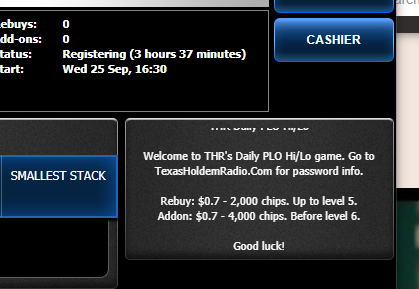
Looks like ACR has started the scheduling of private games with Rebuys/Addons. Hurrah!!!

One little glitch in the tournament info screen for the r/a fee. The $ amount does not include the trailing decimal. (ie: 0.70 is 0.7) which may confuse people into thinking the fee for the r/a is 7 cents, not 70.

8a5a4ef79dde7c016a0588e4c775920d.png
 
Shady Slim said:
While your monitor may be larger than your other screen, the resolution of that screen may be the same (ie: 1368x768). The box is fixed-pixel. You may notice on the larger screen that it is a little more jagged looking.

You can force the resolution higher in your OS settings to something larger though. Not recommended. Suggest you find another monitor with higher resolution.

In my case for the primary display screen, I can't go any higher.

17e45ae54055198e1c072a4052562b3d.png

Thanks, I do have a 2nd monitor with a higher resolution but the table options are still cut off.
 
tomk7788 said:
Thanks, I do have a 2nd monitor with a higher resolution but the table options are still cut off.

What is the resolution of that monitor? Mine is 900 pixels high.
 
tomk7788 said:
1920X1080

Shoot, yours should not be clipped more than mine then.

Just for shits and giggles, I set the option to auto-hide my taskbar. And guess what? I can view the entire box.

The box is equal to the height of my screen. Try hiding your taskbar and see what happens.

EDIT: My conclusion is that the box is set to the monitor's system height, disregarding whether the taskbar is visible or not. If taskbar is visible, it pushes that box up x amount of pixels equal to the taskbar height.

25aa62077ffac1b877f4fa6eba6fe17f.png
 
Last edited:
XYZ2123 said:
Yes this is very annoying. I hate turning filters on and off. The old software had a min filter but you could set it to $0. Now it starts at $1 which eliminates free rolls. I hope this will be fixed.

I dont think there was a min of 0 option. I just left the min box unchecked (0 would be the default).

Presently, I unchecked both min & max stakes for tournaments. At least I can filter out the crap I don't want to see (fixed limit, stud, finished, etc)

To find $0 tournaments, you still have to view underneath the ALL tab. Picking tabs of high, med, low, micro has the same effect as applying a min/max filter -- which is to say that $0 get filtered out as well. 🙁
 
Hello friends
ACR does not work; deposit and withdrawal of funds does not work the program freezes
what is the reason
 
Only thing I noticed is that the lobbys is just smaller words or text or whatever,had not tried but bet there is still no mobile tournament App
 
Status
Not open for further replies.
Back
Top